


Weather Radar - Meteored News
4.79.86K Reviews
App Specs
- Version
- 8.12.7_free
- Updated On
- License
- Free
- Downloads
- 50,000,000+
- Developer
- Meteored
- Categories
- Weather
- Platform
- Android
Screenshots
 Analysis by AppCompare
When I choose a weather app, I want more than a bright sun icon and a temperature. I need to judge whether the forecast is useful for the decision in front of me: what to wear, whether to leave earlier, or if an outdoor plan needs a backup. Weather Radar - Meteored News is built for people who like to look beyond a quick daily summary, with radar and alerts alongside regular forecast information. I find that mix valuable when conditions may change during the day, though it is more than I need if I only check the temperature once each morning.
Start with the kind of forecast you actually use
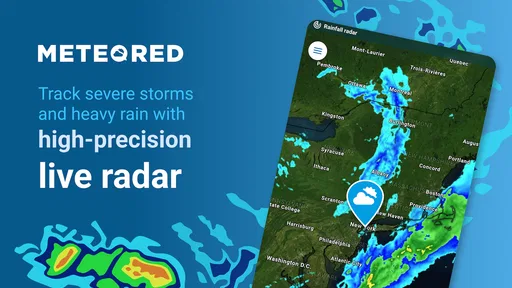
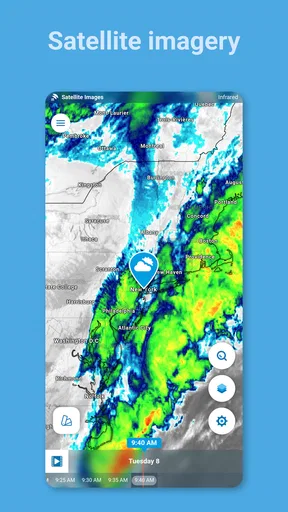
Before settling on any weather app, I’d think about how I make plans. If I mainly want a simple answer for the day, a basic forecast app may be quicker to scan. If I want to follow rain approaching, compare conditions across the week, or keep an eye on weather-related news, Meteored’s broader approach makes more sense. Its radar maps are particularly useful as a visual aid: they can help me think about the movement and extent of weather rather than relying only on a short text summary.
I also treat longer-range forecasts as planning guidance, not a promise. They can help me decide whether a flexible outing belongs earlier or later in the week, but I still check again closer to departure. That habit matters with any forecast, and it prevents a polished weekly outlook from creating more certainty than weather can offer. The app works best for me when I use the details to make a sensible plan, then stay ready to adjust.
Guides and Analysis on Weather Radar - Meteored News
How it fits into an ordinary day
Imagine I’m getting ready for work and rain would make the walk to the station awkward. I can check the forecast first, then use the radar view if the timing looks uncertain. If I’ve set an alert for relevant conditions, a notification can be a useful nudge to reconsider whether I need a jacket or should leave with extra time. I wouldn’t treat an alert as a guarantee that every street will be wet at exactly that moment; I’d use it as a prompt to check the current picture before heading out.
That same routine works for errands, school runs, dog walks, and outdoor plans that are easy to shift by an hour. For a hike or picnic, I’d check the forecast before choosing the day, then revisit the radar and alerts nearer the time. The practical benefit is not that the app removes uncertainty, but that it gives me several ways to make a decision instead of forcing me to rely on one headline number.
Useful details, with a few sensible limits
Radar is most helpful when I have a specific question: Is rain nearby? Does the map suggest I should wait before leaving? It is less useful if I keep it open just to watch movement without knowing what I plan to do with the information. Repeatedly loading map imagery can also be demanding on a phone’s battery, so I’d check it when conditions matter rather than leave it running in the background.
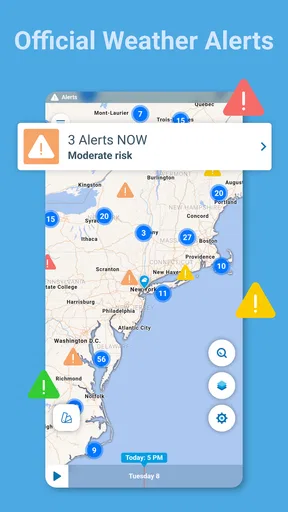
Alerts are worth setting up with restraint. I’d choose the weather conditions that could genuinely change my plans, rather than enabling every possible notification and then ignoring them all. This makes an alert more likely to get my attention. If I’m travelling between places, I’d also check that I’m looking at the location relevant to the next part of the trip; a forecast for home won’t answer whether conditions are comfortable at the destination.
Worth Reading Before You Choose

Basketball Stars: Multiplayer Is Fast, but Can It Recover When Matches Go Wrong?

WEBTOON Turns Phone Updates Into a Better Reading Routine

Link to Windows Runs on Shared Habits, Not Social Feeds

How Alibaba.com Dominates the B2B Marketplace

Metro's Quiet Rise: Redefining Mobile Communication

Harnessing Ecosystem Power with Phone Tracker by Number
Where Meteored has an advantage
The app’s appeal is the combination of forecast tools, radar, alerts, and news in one place. The news section gives weather a broader context, while the forecast and map views are there for immediate decisions. I like that I can use it casually for a quick check or spend longer exploring conditions when an outdoor plan depends on them. Meteored, the developer, has been making this weather app available since April 3, 2012, and its audience has grown to over 50 million installs, with an average rating of 4.8 from around 2.6 million ratings.
That breadth is also a matter of taste. Compared with a minimalist weather app, this one can feel busier because there is more to browse. Compared with a map-focused weather tool, it offers a wider mix of information rather than centering the whole experience on radar. I would pick it when I want that balance; if I only want a clean glance at today’s conditions, a simpler alternative may suit me better. If I need specialist decision support for a particular activity, I’d look for a service tailored to that activity rather than assuming a general forecast app covers every need.
Cost, setup, and switching habits
Weather Radar - Meteored News is free to download, and the app is rated for Everyone. It includes in-app purchases ranging from $0.99 to $7.99 per item. The interface may show ads, which can interrupt the experience; paying for an available ad-free option may appeal if that friction bothers you, but I’d first try the free version and decide whether the interruption is significant in my own routine. I wouldn’t pay simply because a weather app has extra options: the useful question is whether the version I use already handles my everyday decisions.
The current version is 8.9.2_free and it requires Android 8.0 or later. If I move over from another weather app, I’d expect a small setup cost: choose the places I care about, decide which alerts deserve a notification, and learn where radar and news sit in the interface. I’d keep my old app briefly if I rely on a particular saved location or workflow, then compare the two during a few ordinary days. That is a more reliable test than judging either app after one forecast.
Why This App Stands Out
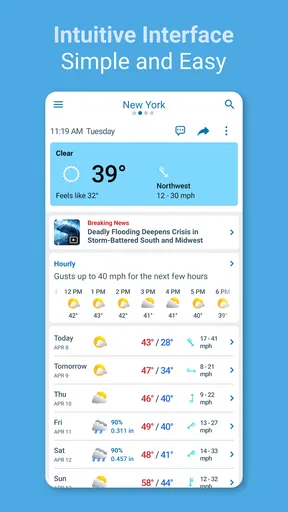
First things first, let's talk about the interface. The Weather Radar - Meteored News app is super intuitive. You don’t have to be a tech wizard to navigate through it. Everything is laid out in a way that just makes sense, with the main features easily accessible.
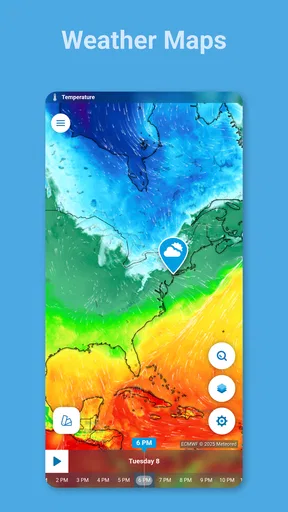
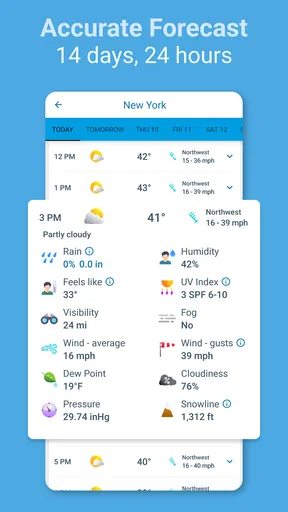
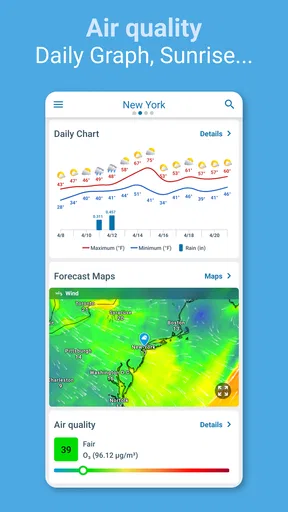
What caught my eye was the real-time weather updates. It’s not just about the basics like temperature and humidity. We’re talking detailed radar maps, wind speeds, and even pollen counts. For those who love digging into the nitty-gritty, this app offers all the juicy details. And the best part? It updates frequently with accurate data.
Features You’ll Love
One of my favorite features is the customizable alerts. You can set notifications for specific weather conditions, so you’re never caught off guard by a sudden downpour. Trust me, knowing when to grab an umbrella before heading out is a game-changer.
For those of you who love planning your week, the app offers an extended forecast feature. It’s like having a crystal ball for the weather. You can plan your outdoor activities or travel plans without worrying about unexpected weather changes.
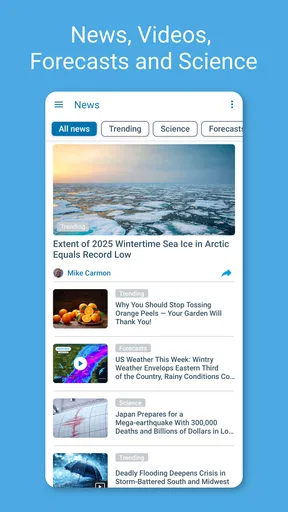
And let's not forget the news section. The app keeps you updated with the latest weather news and climate change information. It’s not just about forecasts; it’s about understanding the bigger picture.
What’s the Catch?
While the app is fantastic, there are a few quirks. Sometimes, the ads can be a bit intrusive. However, there’s an option to go ad-free with a premium subscription. If you’re a weather enthusiast or just love a clean interface, it might be worth considering.
Another thing to note is that the app can drain your battery if you’re constantly streaming radar images. But hey, with all the detailed information it provides, it’s a small price to pay.
Final Thoughts
Overall, Weather Radar - Meteored News is a solid choice for anyone who wants to stay on top of the weather. Whether you’re planning a hike, a picnic, or just your daily commute, this app has got you covered. It’s packed with features that are both fun and practical, making it a must-have for your smartphone.
So, if you’re tired of being caught in the rain or missing out on a sunny day, give this app a try. It’s like having your personal weather station, right in your hands.
Who I’d recommend it to
I’d recommend it to someone who checks weather for more than curiosity: a commuter who wants to plan around rain, a gardener keeping an eye on conditions, or a family coordinating an outdoor afternoon. The combination of forecast, radar, and alerts can reduce the back-and-forth of opening several tools. It is also a good fit for readers who enjoy weather news and want that context alongside practical forecasts.
I’d be less enthusiastic about recommending it to someone who wants the quietest possible screen and only needs a quick answer. More features mean more things to navigate, and ads may make that experience feel less calm. People who need highly specialized forecasts for aviation, marine travel, or another safety-critical activity should use an appropriate dedicated source rather than depend on a general-purpose app alone.
Make the information work for you
A small habit makes the app more useful: check the forecast at the point when it can still change your choice. For a weekend outing, that means comparing days before committing; on the morning itself, it means checking current conditions and radar before packing or setting off. If a forecast looks unsettled, I’d build in a fallback—an indoor option, a shorter route, or a later departure—instead of expecting the app to settle every uncertainty.
Another useful distinction is between information that helps with preparation and information that is merely interesting. Wind and pollen details can matter for a bike ride or a sensitive day outdoors, while a news story may be worth reading for context but will not tell me what to wear at a particular hour. Keeping those purposes separate makes the app’s range feel helpful rather than overwhelming.
My recommendation
I see Meteored as a capable everyday choice for people who want more than a basic forecast but do not want to use a radar-only tool. Its strengths are the variety of views and the ability to turn conditions into practical reminders. The trade-offs are the ads, the temptation to overread a longer forecast, and the battery cost of repeatedly viewing radar imagery.
I’d start with the free app, add only the alerts I truly need, and give it a few days of normal use. If its detail helps me make better calls about commuting or outdoor plans, it earns a place on my phone. If I find myself opening only the daily temperature, I’d switch to a simpler alternative without hesitation. That is the clearest way to decide whether this weather app fits your routine.
Pros
- Accurate real-time weather updates.
- User-friendly and intuitive interface.
- Customizable alerts for severe weather.
- Detailed radar maps with zoom options.
- Minimal ads enhance user experience.
Cons
- Occasional delays in weather updates.
- Some features require a premium subscription.
- Large app size may impact storage.
- Limited offline functionality.
- Battery consumption is relatively high.
FAQs for Weather Radar - Meteored News
What features does Weather Radar - Meteored News offer?
Weather Radar - Meteored News provides real-time weather updates, including radar images, temperature forecasts, and severe weather alerts. It also offers detailed information on wind speed, humidity, and precipitation. Users can customize notifications and access weather news articles, making it a comprehensive tool for weather tracking.
Is Weather Radar - Meteored News free to use?
Yes, Weather Radar - Meteored News is free to download and use. However, it may offer in-app purchases or subscriptions for additional features, such as an ad-free experience or advanced weather data. It's advisable to check the app's store page for detailed pricing information.
How accurate are the weather forecasts in Weather Radar - Meteored News?
Weather Radar - Meteored News uses advanced meteorological data and satellite imagery to provide accurate weather forecasts. While no forecast is perfect, the app is designed to deliver reliable information. Users often find its predictions on par with other leading weather apps.
Can I use Weather Radar - Meteored News offline?
Weather Radar - Meteored News requires an internet connection to access real-time data and updates. While some basic information might be cached for brief offline use, full functionality, including radar images and live forecasts, needs connectivity to work effectively.
Is Weather Radar - Meteored News available in multiple languages?
Yes, Weather Radar - Meteored News supports multiple languages, catering to a global audience. Users can typically set their preferred language within the app settings, making it accessible and user-friendly for non-English speakers. Check the app settings to confirm available languages.


